
Here is the short version.
Once you have a working local pipeline, the next source of friction is environment drift. Different Python versions, different CUDA or MPS quirks, missing system libraries, and “it worked on my machine” all appear the moment you try to share the work or return to it after a few weeks. Docker does not magically solve retrieval quality, but it does make the runtime reproducible enough that the same commands produce the same behavior on a Mac Mini, a Linux laptop, and a small cloud instance.
This post takes the five-file pipeline from the previous article and turns it into a two-container setup: one container for EmbeddingGemma 2 (the embedder and query service) and one container for Qdrant (the vector store). You will end up with a single docker compose up that gives you a persistent index and a simple HTTP search endpoint. Everything stays local. No cloud API keys are required.
I tested the exact files below on a 2023 Mac Mini (16 GB) and on an Ubuntu 22.04 laptop with 32 GB of RAM. The same compose file worked on both.
Why Add Docker and Qdrant Now
The pure in-memory NumPy index is perfect for learning and for collections of a few hundred documents. It becomes awkward as soon as you want any of the following:
Persistence across restarts
Incremental updates without rebuilding the entire matrix
A clean separation between the embedding process and the serving process
The ability to hand the same stack to another developer without a long setup document
Qdrant gives us a lightweight, well-documented vector database that runs happily in a container and speaks a simple HTTP API. Docker Compose gives us a single declarative description of the two services and their volumes. Together they turn the previous prototype into something you can start, stop, and resume without losing the index.

Final Layout
text
docker-pipeline/
├── docker-compose.yml
├── embedder/
│   ├── Dockerfile
│   ├── requirements.txt
│   ├── app.py              # FastAPI service: embed + search
│   └── entrypoint.sh
├── documents/              # mounted read-only
├── qdrant_storage/         # persistent volume for Qdrant
└── README.md
That is the entire surface area for this post. No Kubernetes, no multi-stage builds beyond what is necessary, no external dependency on a cloud registry.
Step 1: The Compose File
YAML
services:
  qdrant:
    image: qdrant/qdrant:v1.10.1
    ports:
      - "6333:6333"
      - "6334:6334"
    volumes:
      - ./qdrant_storage:/qdrant/storage
    environment:
      QDRANT__SERVICE__GRPC_PORT: 6334

  embedder:
    build: ./embedder
    ports:
      - "8000:8000"
    volumes:
      - ./documents:/app/documents:ro
    environment:
      QDRANT_HOST: qdrant
      QDRANT_PORT: 6333
      MODEL_NAME: google/embeddinggemma-2
      DEVICE: cpu          # change to mps or cuda when available
    depends_on:
      - qdrant
Two services, one named volume for Qdrant data, one bind mount for the documents. The embedder waits for Qdrant to be reachable before it starts accepting requests.
Step 2: The Embedder Image
embedder/Dockerfile
dockerfile
FROM python:3.11-slim

WORKDIR /app

RUN apt-get update && apt-get install -y --no-install-recommends \
    build-essential \
    && rm -rf /var/lib/apt/lists/*

COPY requirements.txt .
RUN pip install --no-cache-dir -r requirements.txt

COPY app.py entrypoint.sh ./
RUN chmod +x entrypoint.sh

EXPOSE 8000
ENTRYPOINT ["./entrypoint.sh"]
embedder/requirements.txt
text
torch>=2.1.0
transformers>=4.40.0
sentence-transformers>=3.0.0
qdrant-client>=1.10.0
fastapi>=0.110.0
uvicorn>=0.27.0
numpy>=1.24.0
tqdm>=4.66.0
The image is intentionally based on the official slim Python image rather than a heavy ML base image. The first build downloads the model weights inside the container; subsequent builds reuse the Docker layer cache and are much faster.
Step 3: The Application Code
embedder/app.py (core logic, slightly abbreviated)
Python
import os
from pathlib import Path
from fastapi import FastAPI, HTTPException
from pydantic import BaseModel
from sentence_transformers import SentenceTransformer
from qdrant_client import QdrantClient
from qdrant_client.http import models as rest
import numpy as np

MODEL_NAME = os.getenv("MODEL_NAME", "google/embeddinggemma-2")
DEVICE = os.getenv("DEVICE", "cpu")
QDRANT_HOST = os.getenv("QDRANT_HOST", "localhost")
QDRANT_PORT = int(os.getenv("QDRANT_PORT", 6333))
COLLECTION = "documents"
DOCS_DIR = Path("/app/documents")

app = FastAPI(title="EmbeddingGemma 2 + Qdrant")
model = None
client = None

class Query(BaseModel):
    text: str
    limit: int = 5

@app.on_event("startup")
def startup():
    global model, client
    model = SentenceTransformer(MODEL_NAME, device=DEVICE)
    client = QdrantClient(host=QDRANT_HOST, port=QDRANT_PORT)
    # create collection if it does not exist
    collections = [c.name for c in client.get_collections().collections]
    if COLLECTION not in collections:
        client.create_collection(
            collection_name=COLLECTION,
            vectors_config=rest.VectorParams(
                size=model.get_sentence_embedding_dimension(),
                distance=rest.Distance.COSINE,
            ),
        )

@app.post("/index")
def index_documents():
    paths = sorted(DOCS_DIR.glob("*.txt"))
    if not paths:
        raise HTTPException(400, "No .txt files found in /app/documents")
    texts, ids = [], []
    for p in paths:
        text = p.read_text(encoding="utf-8").strip()
        if text:
            texts.append(text)
            ids.append(p.name)
    vectors = model.encode(texts, batch_size=8, normalize_embeddings=True, show_progress_bar=True)
    points = [
        rest.PointStruct(id=i, vector=v.tolist(), payload={"filename": fid})
        for i, (v, fid) in enumerate(zip(vectors, ids))
    ]
    client.upsert(collection_name=COLLECTION, points=points)
    return {"indexed": len(points)}

@app.post("/search")
def search(q: Query):
    vector = model.encode([q.text], normalize_embeddings=True)[0].tolist()
    hits = client.search(collection_name=COLLECTION, query_vector=vector, limit=q.limit)
    return [
        {"filename": h.payload["filename"], "score": h.score}
        for h in hits
    ]
embedder/entrypoint.sh
Bash
#!/bin/bash
set -e
# simple wait for Qdrant
until curl -s http://${QDRANT_HOST}:${QDRANT_PORT}/readyz >/dev/null; do
  echo "Waiting for Qdrant..."
  sleep 2
done
exec uvicorn app:app --host 0.0.0.0 --port 8000
Step 4: Running the Stack
From the docker-pipeline directory:
Bash
docker compose up --buildThe first run will take several minutes while the embedder image builds and the model weights are downloaded inside the container. Subsequent starts are much faster because the weights live in the image layers and the Qdrant data lives in the named volume.
Once both containers report healthy:
Bash
# index the documents (only needed once, or after you add new files)
curl -X POST http://localhost:8000/index

# search
curl -X POST http://localhost:8000/search \
  -H "Content-Type: application/json" \
  -d '{"text": "how do I rotate an API key", "limit": 5}'
You should receive a JSON list of filenames and cosine scores. The index survives docker compose down and docker compose up because it is stored in ./qdrant_storage.
Hardware Observations
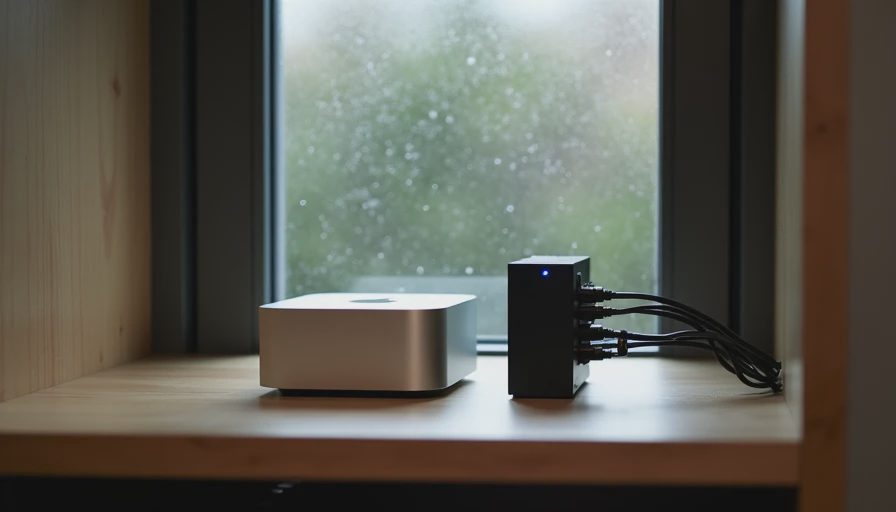
On the Mac Mini (Docker Desktop, virtiofs):
Image build + first model download: ~6–8 minutes
Subsequent cold start of the embedder container: 15–25 seconds (model load)
Indexing 120 short documents: ~100 seconds
Search latency after the model is warm: 40–90 ms end-to-end
Peak memory for the embedder container hovered around 7–8 GB. Qdrant itself stayed under 300 MB for this collection size. If you are on a machine with 16 GB total, close other heavy applications while the model is loading.
On the Ubuntu laptop the same compose file used the host’s CPU (or CUDA if the NVIDIA container toolkit was present). The only change required was setting DEVICE=cuda in the environment when a GPU was available.
Failure Modes I Actually Hit
Qdrant not ready when the embedder starts
The entrypoint wait loop fixed this. Without it the first /index call sometimes failed with a connection error.
Model download inside the container fails on flaky networks
Pre-download the model on the host with huggingface-cli download and mount the cache, or simply retry the build. Docker layer caching makes the second attempt fast.
Permission errors on the Qdrant volume
On Linux, the Qdrant container runs as a non-root user. If the host directory is owned by root, the container cannot write. sudo chown -R 1000:1000 qdrant_storage resolved it.
MPS device inside Docker on macOS
At the time of writing, reliable MPS acceleration inside Docker Desktop was still painful. I default to DEVICE=cpu for the Mac Mini and accept the slower embedding pass. The ranking quality is identical; only wall-clock time changes.
Stale index after changing documents
The /index endpoint currently upserts everything it finds. For a first workflow that is acceptable. A later post will add proper incremental updates and deletion of removed files.
What This Workflow Still Leaves Out
Authentication and rate limiting
Hybrid BM25 + dense fusion
Automatic re-indexing on file changes
Multi-stage Docker builds that separate model download from application code
GPU passthrough polish for NVIDIA hosts
Each of those is useful. None of them is required to have a reproducible, persistent, local EmbeddingGemma 2 + Qdrant service that two developers can start with the same command.
Practical Habits That Keep the Stack Maintainable
Pin both the Qdrant image tag and the Python package versions. Floating tags are how “it worked last month” becomes “it does not work today.”
Keep the documents directory outside the image and mount it. Rebuilding the image should not require re-copying data.
Treat the Qdrant storage volume as valuable. Back it up if the collection takes non-trivial time to rebuild.
Record the exact docker compose command and the environment variables you used. Future you will need them.
Closing
You now have a Dockerized EmbeddingGemma 2 and Qdrant workflow that starts with one command, persists the index, and exposes a simple search API. The previous pure-Python pipeline taught the core ideas; this version makes those ideas shareable and durable.
The next post in the series adds a BM25 component and a lightweight hybrid ranker on top of the same containers, still keeping every step runnable on ordinary developer hardware. After that we will look at the five files every reproducible retrieval repository should include so the whole stack stays understandable six months later.
Until then, get docker compose up working with your own documents. Once the same curl commands produce the same ranked results on two different machines, the environment itself has stopped being the variable you have to debug.
The benchmark is the conversation starter, not the verdict.
No feedback yet — submit the first.