
Here is the short version.
I wanted a way to find the right picture book or early reader on the shelf without walking into the room and flipping through every spine, and without sending the titles, authors, or any page text to a remote service. The collection is modest—a few hundred physical books that belong to a four-year-old—but the constraint is absolute: nothing about the books leaves the house. The system that resulted uses the same EmbeddingGemma 2 + BM25 hybrid stack already described, runs on the Mac Mini, and answers queries such as “the one with the red balloon and the mouse” or “bedtime story about a train” with a short list of titles and shelf locations.
This post covers the practical differences that appear when the documents are children’s books rather than technical notes, the data-capture choices that kept the project small, and the failure modes that only showed up once a child started asking for stories by half-remembered details.
Why This Collection Is Different
A home document archive is mostly text that already lives on disk. A children’s book collection is physical objects. The searchable representation therefore has to be created deliberately, and every design decision is judged by two additional criteria:
Does this protect the family’s privacy?
Can a non-technical parent (or a tired parent at bedtime) actually use it?
The first criterion eliminated any cloud OCR, any hosted embedding API, and any “helpful” third-party book database lookup that would transmit titles or ISBNs. The second criterion forced the interface to stay extremely simple and the results to be immediately actionable—“Blue shelf, third from the left”—rather than a ranked list of abstract scores.

Building the Searchable Representation
I limited the captured information to what was necessary and non-sensitive:
Title
Author / illustrator
A short free-text description written by me (usually 40–80 words)
One or two memorable plot or visual details (“red balloon,” “mouse with a suitcase,” “train that goes to the moon”)
Physical location (shelf color + approximate position)
Optional age-range tag and a “frequently requested” flag
I deliberately did not scan full pages or store photographs of the books. The descriptions are short enough that I could write them in a few evenings while the books were already off the shelf for other reasons. The resulting collection contains roughly 280 entries—small enough that a full re-embed takes well under a minute on the Mac Mini.
The text that actually gets embedded is a simple concatenation:
text
Title: The Red Balloon Mouse
Author: Jane Example
Description: A small mouse finds a bright red balloon and floats over the city. Includes a suitcase and a nighttime cityscape.
Location: Blue shelf, left side
That short block is enough for both semantic and keyword retrieval while remaining trivial to audit and edit.
The Retrieval Stack (Unchanged, Just Smaller)
The same Dockerized hybrid service used for the home document archive handles this collection with only configuration changes:
Separate Qdrant collection and BM25 index
Lower over-retrieve factor because the corpus is tiny
Results formatted to emphasize location and title rather than long snippets
Query examples that now work reliably:
“mouse with a red balloon”
“bedtime train story”
“the one where the bear loses his hat”
“dinosaur book with lots of pictures”
Exact title fragments are caught by BM25; visual or plot paraphrases are caught by EmbeddingGemma 2. The hybrid fusion again recovers cases that either side misses alone.
Interface Designed for Bedtime
The primary interface is a single local web page on the Mac Mini that shows a search box and five large result cards. Each card displays:
Title and author
The one-line location (“Blue shelf, third from left”)
A short highlight from the description
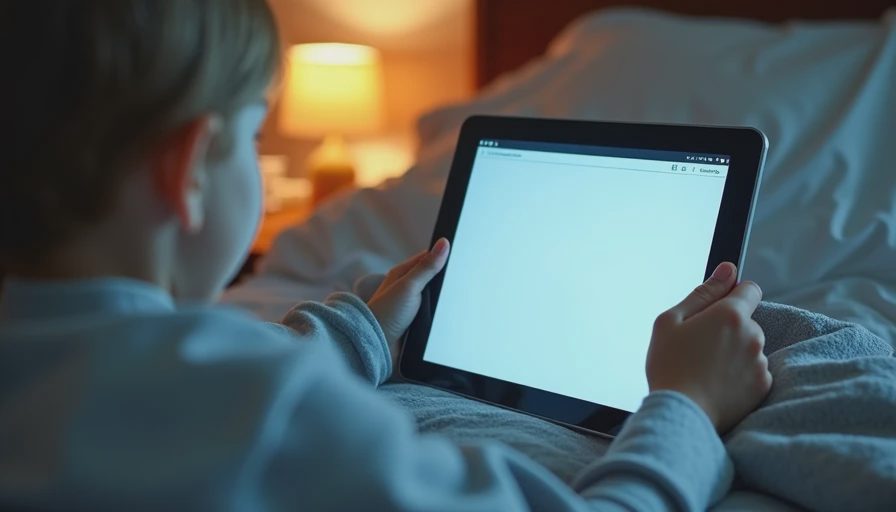
There is no login, no settings panel, and no result-score display. The page is bookmarked on the household tablet that already lives in the living room. A parent can type a half-remembered detail with one hand while holding a child with the other.
A fallback command-line query exists for my own debugging, but it is not the daily path.
Failure Modes Unique to This Collection
Vague child queries.
Children often remember a single striking image and nothing else. “The one with the purple umbrella” can match multiple books. I mitigated this by adding distinctive visual anchors to the descriptions and by letting the parent refine the query with an extra word or two.
Synonym and developmental-language gaps.
A child may say “truck” for every construction vehicle, or “dragon” for any large lizard-like creature. The embedding model handles some of this, but I still found myself editing descriptions to include the most common alternate words a preschooler uses.
Location drift.
Books move. A weekly two-minute “shelf check” against the five or six most frequently requested titles keeps the location field honest. The system does not try to track real-time movement; it only needs to be right enough that the book is findable in under thirty seconds.
Over-specific adult descriptions.
My first descriptions were written like catalog entries. They performed worse than shorter, more sensory descriptions that matched how a child actually talks about the book. Rewriting thirty or forty entries with that in mind produced a noticeable improvement in the ranked lists.
Privacy and Data Minimization
No full text of any book is stored.
No images are stored.
No external API is ever called.
The only network traffic is local HTTP between the tablet and the Mac Mini on the home network.
The Qdrant volume and BM25 index are included in the same encrypted backup routine used for the larger document archive.
If the Mac Mini were compromised, an attacker would obtain short descriptions of children’s books and shelf locations—information that is already visible to anyone standing in the room. That is the threat model I accepted.
Resource and Maintenance Cost
The collection is small enough that it barely registers on the hardware measurements published earlier:
Full re-embed: < 40 seconds
Idle memory impact: negligible on top of the already-running service
Maintenance: a few minutes a month to add new books or correct a location
Because the same hybrid service already runs for the document archive, the marginal cost of the children’s collection is close to zero.
What I Would Do Differently Next Time
Start with the sensory, child-language descriptions rather than formal catalog text.
Capture the location field with a consistent vocabulary from day one (“Blue-L3” instead of free-text variations).
Add a simple “last requested” timestamp so that frequently asked-for books can be surfaced or physically re-shelved closer to reach.
None of these changes require new infrastructure; they are pure data-discipline improvements.
Who This Is For
This pattern fits families that:
Already keep a physical book collection at home
Prefer not to rely on commercial reading apps that harvest interest data
Are willing to spend a few evenings creating short local descriptions
Have any always-on local machine capable of running the hybrid stack
It is unnecessary if you are happy with cloud-based book apps, or if the collection is so small that walking to the shelf is always faster than typing a query.
Closing
Searching a children’s book collection without uploading it to the cloud is a deliberately small application of the same retrieval stack developed throughout this series. The technical pieces—EmbeddingGemma 2, BM25, hybrid fusion, local Qdrant—stay identical. The differences that matter are data minimization, an interface designed for a tired parent at bedtime, and a willingness to write short, sensory descriptions that match how a child actually remembers a story.
The system does not replace the pleasure of browsing a shelf. It simply reduces the number of times someone has to say “I know we have that book somewhere.” And it does so without any of the books, titles, or reading habits ever leaving the house.
The next post moves from the home to a small-team setting and asks what actually matters when EmbeddingGemma 2 is applied to an internal FAQ. After that we will look at the practical path from a weekend prototype to a tool that survives contact with real users and real maintenance budgets.
Until then, if you have a physical collection you care about keeping private, start with short local descriptions and the hybrid stack you already know how to run. The first useful bedtime query usually appears before the descriptions are perfect.
The benchmark is the conversation starter, not the verdict.


No feedback yet — submit the first.