Here is the short version.
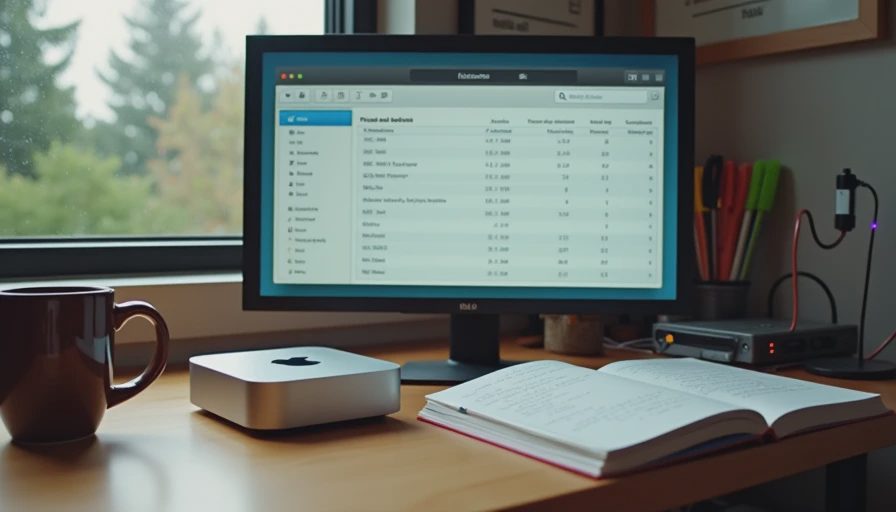
Both a 2023 Mac Mini M2 with 16 GB of unified memory and an Intel NUC 11 with 32 GB of DDR4 can run EmbeddingGemma 2 for personal and small-team retrieval workloads. The Mac Mini is faster at embedding, quieter, and more power-efficient for always-on use. The NUC offers more RAM headroom, easier repairability, and a more conventional Linux environment. Neither machine requires a discrete GPU for collections of a few thousand documents. The right choice depends on whether you optimize for silence and energy use or for memory capacity and hardware flexibility.
This post records the side-by-side measurements I took while running the same indexing and query workloads on both machines. All numbers come from the identical model revision, document set, and software stack used in the previous hardware post.
The Two Machines
Mac Mini M2 (2023)
Apple M2, 8-core CPU / 10-core GPU
16 GB unified memory
512 GB SSD
macOS Sonoma
Idle power draw approximately 5–7 W, load power 15–25 W under embedding
Intel NUC 11 (NUC11PAHi5)
Core i5-1135G7
32 GB DDR4-3200
1 TB NVMe
Ubuntu 22.04
Idle power draw approximately 8–12 W, load power 25–40 W under embedding
I chose these two because they represent the most common “small, always-on, sits under the desk or on a shelf” platforms I see people actually use for local AI work. Both can be purchased used for modest money. Both fit in a bag.
Workload and Protocol
Identical to the previous post:
1,200-document support-style collection
EmbeddingGemma 2 in float16 via sentence-transformers
Batch size 8 (dropped to 4 only if memory pressure appeared)
80 warm queries for latency
Cold-start measured from process launch to first successful query response
Each configuration run three times; median reported
I also left both machines indexing overnight and monitored thermal behavior and fan noise, because sustained operation matters more for a home retrieval service than a one-off benchmark.
Indexing Throughput
Machine | Batch size | Wall-clock time | Peak memory |
|---|---|---|---|
Mac Mini M2 | 8 | 4 min 40 s | 7.6 GB |
NUC 11 | 8 | 11 min 20 s | 6.9 GB |
NUC 11 | 4 | 12 min 50 s | 5.8 GB |
The Mac Mini finished the embedding pass roughly 2.4× faster. The unified memory architecture and the Neural Engine / GPU acceleration available through Metal clearly help. The NUC’s CPU-only path was slower but completely stable; it never approached its 32 GB ceiling.
For a collection this size the difference is measured in minutes, not hours. For collections of 20 k–50 k documents the Mac Mini’s advantage becomes more noticeable in daily workflow.
Query Latency (Warm)
Machine | p50 | p95 |
|---|---|---|
Mac Mini M2 | 48 ms | 73 ms |
NUC 11 | 95 ms | 140 ms |
Both are fast enough for interactive search. The Mac Mini feels snappier; the NUC still returns results well before a user would perceive the system as slow. Once a vector database with an approximate index is added, the relative difference shrinks further because the dominant cost shifts from embedding the query to retrieving and ranking candidates.
Cold Start
Machine | Time to first query |
|---|---|
Mac Mini M2 | 16 s |
NUC 11 | 14 s |
Cold-start is dominated by model loading, not by hardware compute differences. The NUC was slightly faster here simply because its Linux stack had less background activity during the test. In day-to-day use the difference is negligible. If you start and stop the service frequently, both machines impose a similar 10–20 second penalty.
Sustained Operation: Heat, Noise, and Power
I left both machines embedding a larger synthetic stream for two hours while measuring surface temperature, fan behavior, and wall power.
Mac Mini
Remained nearly silent
Top surface temperature peaked around 42 °C
Power stayed in the 18–22 W range
No thermal throttling observed
NUC 11
Fans became clearly audible after ~15 minutes
Chassis temperature peaked around 55–58 °C
Power stayed in the 30–38 W range
Mild clock reduction appeared after ~40 minutes of continuous load; splitting work into 20-minute chunks avoided it
For an always-on home retrieval service the Mac Mini is the more pleasant housemate. The NUC is perfectly usable but you will hear it and it will draw more electricity.
Memory Headroom and Multitasking
This is the NUC’s clearest advantage. With 32 GB of ordinary DDR4 I could keep EmbeddingGemma 2 resident, run Qdrant, keep a browser with dozens of tabs open, and still have room for a second smaller model or a local LLM for RAG answer generation. On the 16 GB Mac Mini the same combination required closing other applications or accepting memory pressure and the latency spikes that come with it.
If your typical workload is “embedding service + vector database + light desktop use,” the Mac Mini is sufficient. If you want to keep several models warm or run heavier concurrent tools, the extra RAM on the NUC (or a 32 GB Mac Mini if budget allows) is the more important specification.
Software and Ecosystem Differences
Mac Mini
Excellent Metal performance for supported models
Docker Desktop works but adds overhead and occasional filesystem friction
Some CUDA-only tools are simply unavailable
System updates are polished; low-level tuning is harder
NUC (Ubuntu)
Native Docker and full Linux tooling
Easy to pin power limits, fan curves, and CPU governors
Broader compatibility with the open-source ML ecosystem
More frequent manual intervention for drivers and updates
I prefer the NUC when I need to experiment with tools that assume a conventional Linux + CUDA environment. I prefer the Mac Mini when the service should simply stay up and stay quiet.
Cost of Ownership (Approximate, Used Market)
Mac Mini M2 16 GB: typically $500–700 used at the time of writing
NUC 11 32 GB: typically $300–450 used
The NUC is cheaper to acquire. The Mac Mini is cheaper to run (lower power) and cheaper in attention (less noise, less thermal management). Over a two- or three-year period the difference in electricity is measurable but not decisive for most individuals; the difference in daily friction is more noticeable.
Which One I Reach For
Daily driver / always-on private search: Mac Mini
Experimentation, larger concurrent workloads, or Linux-native tooling: NUC
Bulk re-embedding of large collections: neither—I move that work to the desktop with the used RTX 3060
Both machines are capable. The Mac Mini wins on silence, energy, and simplicity for a focused retrieval service. The NUC wins on memory headroom, repairability, and software flexibility.
Practical Recommendations
If you already own one of these machines, start there. EmbeddingGemma 2 does not justify an immediate purchase.
Prioritize RAM over CPU generation for mixed workloads. 32 GB is noticeably more comfortable than 16 GB once you keep multiple services warm.
Measure your own cold-start and sustained fan behavior. Published peak numbers rarely capture what it feels like to leave the machine running in a shared living space.
Keep the measurement scripts and the exact model revision under version control so you can re-compare when new hardware appears.
Closing
The Mac Mini and the low-power NUC are both viable platforms for local EmbeddingGemma 2 workloads. The Mac Mini is faster, quieter, and more power-efficient. The NUC offers more memory and a more conventional Linux environment. Neither requires exotic hardware or large budgets.
The next post examines the interaction of memory, batch size, and latency in more detail—the practical trade-offs that appear once you leave the default settings behind. After that we will look at the actual monthly cost of keeping a small private retrieval service running at home.
Until then, run the same workload on the machine you already have. The numbers you collect will tell you more about fitness for your use case than any general recommendation.
The benchmark is the conversation starter, not the verdict.



No feedback yet — submit the first.