Here is the short version.
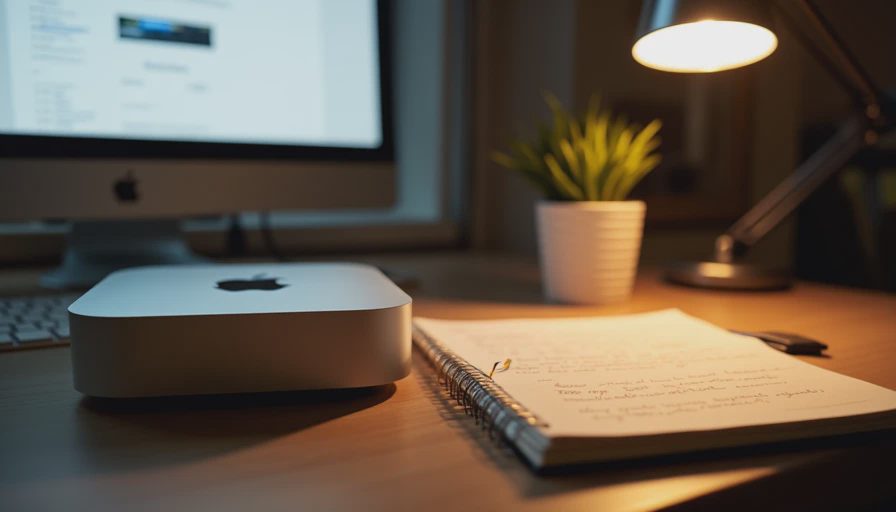
I wanted to search years of personal notes, scanned receipts, old project files, and half-finished drafts without uploading any of them to a cloud service. The system that resulted runs entirely on a Mac Mini under my desk, uses EmbeddingGemma 2 for semantic matching, keeps BM25 for exact tokens, and never sends a single document outside the house. It is not perfect. It is good enough that I now reach for it instead of scrolling through Finder or hoping I remembered the right filename.
This post describes the concrete design, the data decisions, the failure modes that appeared once real documents replaced clean demo files, and the maintenance habits that keep the system usable months later. Everything stays within the hardware and software constraints already measured in the Small-System Reality posts.
Why a Home Archive Is Different from a Demo
Demo collections are tidy. Real home archives are not. Mine contained:
Markdown notes from five different apps
PDFs of old tax forms and appliance manuals
Plain-text exports from messaging apps
Scanned images that had been OCR’d with varying quality
Duplicate or near-duplicate files created by successive backup schemes
Documents that mix English with occasional other languages or code snippets
The retrieval problem is therefore not “find the closest vector in a clean corpus.” It is “find the note I half-remember writing three years ago even though the filename is useless and the OCR is noisy.” Privacy is non-negotiable; these files include personal financial and family-related material. Upload-to-cloud was never an option.
Design Goals I Actually Enforced
All data and all computation stay on local hardware.
The system must remain usable after a reboot with a single command or a systemd/Docker restart.
Adding new documents should not require a full re-embed of the entire archive.
Exact matches (invoice numbers, exact phrases, error strings) must still work.
The interface can be minimal—initially just a command-line query or a simple local web form.
These goals led directly to the hybrid stack already built in the Reproducible Builds series: EmbeddingGemma 2 + BM25 + Qdrant, running in Docker on the Mac Mini.
Data Preparation That Mattered More Than the Model
The first version used raw files and produced mediocre results. The improvements that moved the system from “interesting” to “actually useful” were almost all on the data side:
Text extraction and normalization. PDFs went through a local OCR pass only when no text layer existed. Markdown kept its structure but lost decorative front-matter that confused embeddings.
Aggressive near-duplicate removal. I computed a cheap hash on the first and last 500 characters and collapsed obvious copies. This alone removed roughly 15 % of the collection and reduced ranking noise.
Chunking with overlap. Long notes were split into 300–400 word chunks with a 50-word overlap so that a relevant paragraph was less likely to be cut in half.
Lightweight metadata. Each chunk carried its source filename, creation date (when available), and a short path. The metadata never left the local machine but made the result list readable.
None of these steps required a GPU. All of them improved the ranked lists more than switching embedding models would have.
The Running System
The deployment is the same Docker Compose layout described earlier, with two practical additions:
A small watch script that detects new or changed files in the archive folder and triggers an incremental embed + upsert into Qdrant and a BM25 update.
A minimal FastAPI endpoint that accepts a query, runs the hybrid retrieval, and returns the top results with source path and a short snippet.
I query it from the terminal most days:
Bash
curl -s -X POST http://localhost:8000/search/hybrid \
  -H "Content-Type: application/json" \
  -d '{"text": "warranty information for the dishwasher", "limit": 5}' | jq
A simple local HTML form sits on the same port for days when I want to click instead of type. No authentication is required because the service listens only on localhost and the machine is not exposed to the wider network.
What Worked Well
Semantic matches on paraphrased memories.
Queries such as “the note about the roof leak repair estimate” surface the right document even when the original text used different wording.
Exact token rescue via BM25.
Invoice numbers, model numbers, and distinctive error strings are recovered by the sparse side and survive the hybrid fusion.
Cold-start tolerance.
Because the Mac Mini stays on, the model remains warm. When I do reboot, the 15–20 second load time is acceptable for a personal tool.
Privacy by architecture.
There is no API key, no external network call, and no telemetry. The threat model is “someone who already has physical or login access to the machine,” which is the same threat model as the files sitting in the filesystem anyway.
Failure Modes That Appeared with Real Data
OCR garbage.
Some scanned pages produced embeddings that matched other low-quality OCR documents more strongly than the correct clean note. Filtering out chunks with abnormally high non-alphabetic character ratios helped.
Temporal confusion.
The system has no built-in notion of time. A query for “the latest insurance policy” can still surface an older version if the older version happens to be closer in embedding space. I mitigated this by including the year in many queries and by sorting final results by file date when scores are close.
Over-chunking.
Very short notes that were left un-chunked sometimes ranked higher than the more complete but split version of the same information. Keeping a minimum chunk size and preferring the longer original when scores were near-identical reduced the problem.
Index drift.
If the watch script missed a file (permission change, temporary lock, etc.), the dense and BM25 sides could fall out of sync. A weekly full reconciliation job that compares document counts and re-processes anything missing fixed the quiet failures.
Maintenance Habits That Keep It Alive
Weekly automated backup of the Qdrant storage volume and the BM25 index to an encrypted external drive.
Monthly full re-embed only when the model revision changes or when I have made large changes to the chunking logic.
A short text file in the repository that records the exact model revision, alpha value, and chunk settings used for the current index.
One “sanity query” I run after every update—a question whose correct answer I know by heart—so I notice ranking regressions immediately.
These habits take less than thirty minutes a month when nothing is broken and have prevented the slow decay that kills most personal search projects.
Resource Footprint on the Mac Mini
Idle with model loaded: ~7–8 GB RAM, 6–8 W
Light query load: negligible additional CPU
Incremental update of a few dozen new documents: 1–3 minutes
Full re-index of the current archive (~4,500 chunks): ~18 minutes
The machine remains usable for ordinary desktop work while the service runs. I do not run heavy local LLMs at the same time; the 16 GB ceiling becomes visible when both are resident.
Who This Design Is For (and Who It Is Not)
This approach fits people who:
Already keep most of their documents in local folders
Care more about privacy than about multi-device instant sync
Are willing to spend a weekend on initial setup and a few minutes a month on maintenance
Have a machine that can stay powered on or wake quickly
It is less suitable if you need search from a phone while away from home, if your archive lives primarily in proprietary cloud formats that resist clean export, or if you require collaborative editing and real-time sharing.
Closing
A private semantic search system for a home document archive does not require exotic hardware or constant cloud fees. It requires careful data preparation, a hybrid ranking stack that respects both exact and semantic matches, and a few boring maintenance habits. The system I run today is the direct descendant of the pipelines built in the earlier posts; the only material changes were the document handling and the incremental update logic.
The next post applies the same principles to a more constrained and more personal collection: a searchable library of children’s books that never leaves the house. After that we will look at small-team FAQ search and the practical differences that appear when the users are not only yourself.
Until then, start with the documents you already have on disk. The first useful query results appear long before the system is perfect, and the privacy guarantee is present from the first line of code.
The benchmark is the conversation starter, not the verdict.



No feedback yet — submit the first.