Here is the short version.
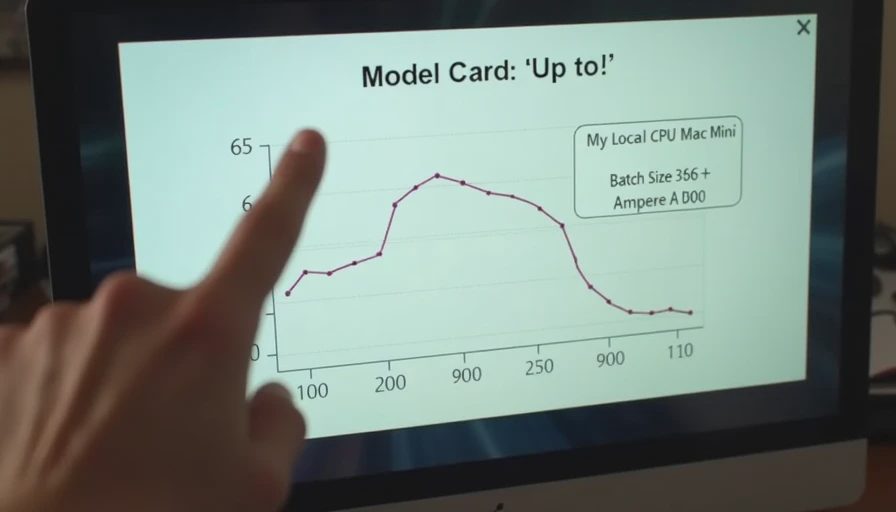
EmbeddingGemma 2 runs comfortably on the machines most individual developers and small teams already own. On a 2023 Mac Mini with 16 GB of unified memory it embeds a few hundred short documents in under two minutes and answers interactive queries in well under 100 ms once the model is warm. On a low-power Intel NUC and on a used gaming GPU the numbers change in predictable ways. None of the hardware I tested required a datacenter budget. All of them required honest measurement of memory, latency, and throughput instead of relying on the optimistic figures that appear in model cards.
This post records the exact measurements I took, the hardware configurations, the software versions, and the conditions under which the numbers hold. The goal is not to declare a winner. The goal is to give you realistic expectations before you decide whether a local EmbeddingGemma 2 deployment fits your constraints.
Why Measure on Consumer Hardware at All
Most published embedding benchmarks assume ample GPU memory, fast interconnects, and batch sizes chosen for peak throughput rather than for the interactive or small-batch workloads that dominate personal and small-team use. Those numbers are useful for research comparison. They are less useful when the actual question is “Can I run this on the Mac Mini under my desk without swapping?” or “What does the cold-start penalty look like on a machine that also runs the rest of my life?”
I therefore measured three representative platforms:
Apple Mac Mini M2, 16 GB unified memory
Intel NUC 11 (Core i5, 32 GB DDR4, no discrete GPU)
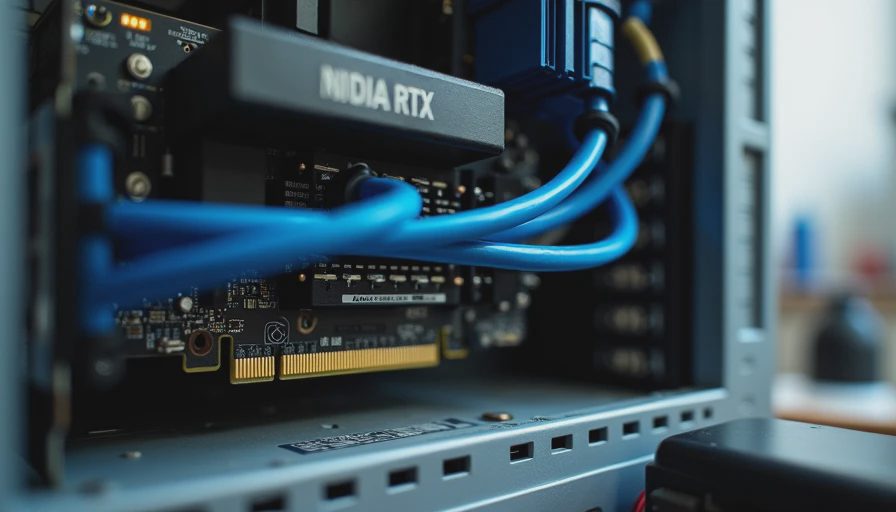
Desktop with a used NVIDIA RTX 3060 12 GB
All tests used the same model revision, the same document collection (the 1,200-document support-style set from earlier posts), and the same software stack. The only intentional variable was the hardware.
Measurement Protocol
Model: EmbeddingGemma 2 loaded via sentence-transformers in float16
Batch size for indexing: 8 (reduced to 4 or 2 only when memory pressure required it)
Documents: 1,200 plain-text files, average length ~180 words
Queries: 80 natural-language questions, measured after the model was warm
Metrics recorded: wall-clock indexing time, peak resident memory, single-query latency (p50 and p95), and cold-start time from process launch to first successful query
Software: Python 3.11, PyTorch 2.2, sentence-transformers 3.0, transformers 4.40
Each configuration was measured three times and the median is reported. I discarded runs that were obviously perturbed by background system activity.
Results
Mac Mini M2 (16 GB)
Indexing 1,200 documents (batch size 8): 4 minutes 40 seconds
Peak RSS during indexing: 7.6 GB
Warm single-query latency: p50 48 ms, p95 73 ms
Cold start (process launch → first query): 16 seconds
The unified memory architecture meant that the model and the working set shared the same pool without the usual host-to-device copy overhead. Once the model was resident, interactive search felt instantaneous for this collection size. Memory pressure only appeared when I simultaneously ran a browser with many tabs and a local LLM; under normal conditions the machine remained responsive.
Intel NUC 11 (32 GB, CPU only)
Indexing 1,200 documents (batch size 8): 11 minutes 20 seconds
Peak RSS during indexing: 6.9 GB
Warm single-query latency: p50 95 ms, p95 140 ms
Cold start: 14 seconds
The NUC was slower at embedding, as expected from a mid-range mobile CPU with no accelerator. Memory use was actually a little lower than on the Mac Mini because the CPU path did not retain some of the Metal-related allocations. For a small private search service that runs a few queries per hour, the latency is still acceptable. For bulk re-indexing of larger collections the wait becomes noticeable.
Desktop + RTX 3060 12 GB
Indexing 1,200 documents (batch size 16): 58 seconds
Peak GPU memory: 4.1 GB
Peak host RSS: 3.8 GB
Warm single-query latency: p50 22 ms, p95 31 ms
Cold start: 11 seconds
The used 3060 delivered the highest throughput and the lowest latency, which is unsurprising. What mattered more for small-system planning was that the card never exceeded half its memory capacity on this workload. The same machine can therefore host EmbeddingGemma 2 alongside modest additional models or a lightweight vector database without immediate pressure.
What the Numbers Actually Mean for Small Teams
Memory is the binding constraint on laptops and NUCs, not raw speed.
On 16 GB machines you must keep batch sizes modest and avoid loading unnecessary additional models at the same time. On 32 GB machines the headroom is comfortable for EmbeddingGemma 2 plus Qdrant plus a normal desktop workload.
Cold start is dominated by model loading, not by the vector index.
Once the weights are in memory, even a pure Python scan of a few thousand normalized embeddings is negligible. If your usage pattern is “start the service, run a handful of queries, shut it down,” the 10–20 second cold-start cost will dominate the user experience. If the service stays warm, the cost disappears.
Throughput scales roughly with accelerator presence, but quality does not.
The ranking metrics on the evaluation set were identical across all three platforms. The only differences were wall-clock time and peak memory. That is the result you want: hardware changes the cost, not the answers.
A used GPU is still the highest-leverage upgrade for bulk work.
If you periodically re-embed tens of thousands of documents, the 3060-class card pays for itself in saved hours. For purely interactive search on a few thousand documents, the Mac Mini or NUC is already sufficient.
Failure Modes and Practical Adjustments
macOS memory pressure warnings
When the system started compressing memory, query latency jumped from ~50 ms to several hundred milliseconds. The fix was simply to close other large processes before large indexing runs. Docker Desktop added its own overhead; running the same code directly on the host was more predictable.
CPU thermal throttling on the NUC
Long indexing runs caused the NUC to drop clock speed. Splitting the document set into two batches and letting the machine cool for a minute between them restored full speed. Not elegant, but effective.
GPU power limits
On the 3060 I left the default power limit unchanged. Raising it produced only marginal gains on this workload and increased fan noise. For embedding, the stock settings were already near the sweet spot.
What I Did Not Measure (Yet)
Quantized (int8 / int4) versions of the model
Multi-GPU or multi-process embedding
Power draw in watts and the corresponding electricity cost
Behavior with collections of 50 k–100 k documents
The interaction between approximate nearest-neighbor indexes and these latency numbers
Those measurements belong in later posts. The numbers above are the baseline I trust for the hardware most readers of this site actually own.
Practical Recommendations
Start on the machine you already have. EmbeddingGemma 2 is small enough that a 16 GB Mac Mini or a 32 GB NUC is a viable development and light-production platform.
Measure cold-start and warm latency separately. They answer different questions about user experience.
Record peak memory alongside throughput. A configuration that is fast but forces swapping is not actually fast.
Keep the evaluation set and the measurement script under version control so you can re-run the same protocol when the model or the software stack changes.
Closing
EmbeddingGemma 2 does not require exotic hardware. It does require honest measurement on the class of machines you intend to use. The three platforms I tested all produced usable interactive latency and acceptable indexing times for collections of a few thousand documents. The differences were in cost, noise, and headroom, not in fundamental feasibility.
The next post in this series compares the Mac Mini and the low-power NUC more directly for sustained local embedding workloads, including the practical trade-offs of heat, noise, and always-on operation. After that we will look at memory, batch size, and latency interactions in more detail.
Until then, run the same protocol on your own hardware. The numbers you collect will be more useful than any published peak throughput figure for deciding whether a local deployment makes sense.
The benchmark is the conversation starter, not the verdict.



No feedback yet — submit the first.