Here is the short version.
A Jupyter notebook is an excellent place to explore an EmbeddingGemma 2 idea. It is a terrible place to leave the finished experiment. Notebooks hide state, encourage out-of-order execution, and make it painful for anyone else (including future you) to reproduce the exact result. The fix is not to abandon notebooks. The fix is to treat them as a drafting surface and then deliberately extract a clean, single-purpose command that can be run from a terminal, a CI job, or a Docker entrypoint.
This post walks through the exact process I use to convert a working notebook into a repeatable command-line tool. The example is the hybrid retrieval experiment we have been building, but the same steps apply to any embedding, indexing, or evaluation notebook.
Why Notebooks Quietly Betray Reproducibility
I still start almost every new idea in a notebook. The feedback loop is fast, plots appear inline, and it is easy to poke at intermediate tensors. The problems appear later:
Cells are executed out of order, so the final state depends on a hidden history.
Random seeds are set (or not set) in different places.
File paths are absolute or depend on the current working directory of the Jupyter server.
Dependencies are imported gradually, so a clean environment may be missing packages that were installed mid-session.
The “run all” button is rarely the path that actually produced the numbers you wrote down.
When I return to a notebook three weeks later, I often cannot recreate the exact metric I reported. That is the moment the experiment stops being science and starts being folklore.
The discipline that prevents this is simple: once the idea works, extract it.
The Extraction Process in Five Steps
I follow the same sequence every time.
1. Freeze the Working Notebook
Make a copy named experiment-YYYYMMDD-working.ipynb and do not touch the original again. This is the historical record of how you arrived at the result. All subsequent cleaning happens on a new file or directly in scripts.
2. Linearize and Deduplicate
Create a fresh notebook (or a single Python file) and copy cells in the exact order that produces the final result. Delete exploratory dead-ends, duplicate imports, and cells that only exist to print shape information you no longer need. At the end of this step you should be able to “Restart Kernel and Run All” and obtain the same numbers.
3. Pull Configuration to the Top
Every path, model name, batch size, alpha value, random seed, and output directory becomes a clearly named variable or CLI argument at the top of the file. Magic numbers that live three cells deep are how experiments become unreproducible.
4. Remove Notebook-Only Affordances
Replace interactive widgets, display(), and ad-hoc prints with proper logging or structured output. If the notebook wrote files to a temporary location, make the output directory an explicit argument. If it depended on a global variable set in an earlier cell, pass that value as a function argument instead.
5. Wrap in a Command-Line Interface
Add a thin argparse (or typer) layer so the script can be invoked with clear flags. The final interface should look something like:
Bash
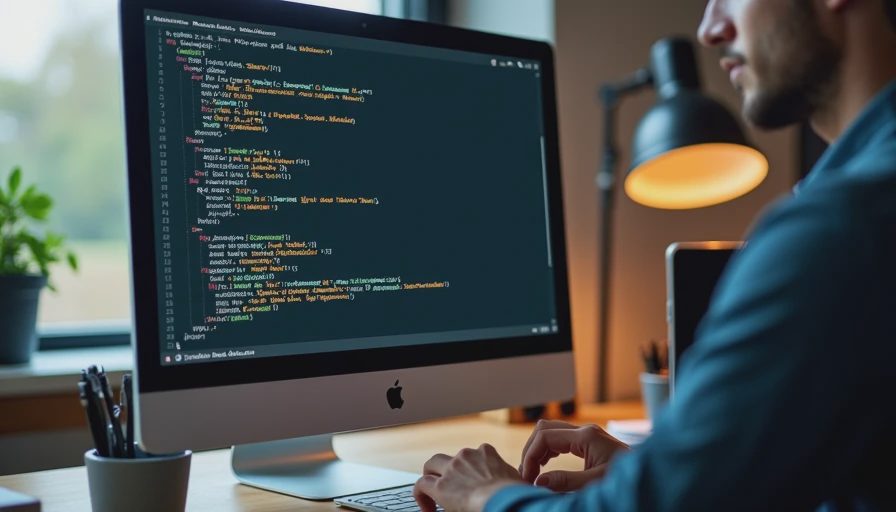
python run_hybrid_eval.py \
  --documents data/docs \
  --queries data/queries.jsonl \
  --judgments data/judgments.jsonl \
  --model google/embeddinggemma-2 \
  --alpha 0.6 \
  --output results/hybrid-20261012.json
At this point the notebook has become a repeatable command.
Concrete Example: From Notebook to run_hybrid_eval.py
Below is the distilled structure I actually use for the hybrid evaluation. The notebook originally contained roughly forty cells; the extracted script is under 200 lines and does one job.
Python
#!/usr/bin/env python3
"""Run a hybrid BM25 + EmbeddingGemma 2 evaluation and write metrics."""

import argparse
import json
import logging
from pathlib import Path

import nltk
import numpy as np
from rank_bm25 import BM25Okapi
from sentence_transformers import SentenceTransformer
from qdrant_client import QdrantClient
# ... other imports

logging.basicConfig(level=logging.INFO, format="%(asctime)s %(levelname)s %(message)s")
logger = logging.getLogger(__name__)

def parse_args():
    p = argparse.ArgumentParser(description=__doc__)
    p.add_argument("--documents", type=Path, required=True)
    p.add_argument("--queries", type=Path, required=True)
    p.add_argument("--judgments", type=Path, required=True)
    p.add_argument("--model", default="google/embeddinggemma-2")
    p.add_argument("--alpha", type=float, default=0.6)
    p.add_argument("--device", default="cpu")
    p.add_argument("--output", type=Path, required=True)
    p.add_argument("--seed", type=int, default=42)
    return p.parse_args()

def main():
    args = parse_args()
    np.random.seed(args.seed)

    logger.info("Loading documents from %s", args.documents)
    docs, doc_ids = load_documents(args.documents)

    logger.info("Building BM25 index")
    bm25 = build_bm25(docs)

    logger.info("Loading dense model %s", args.model)
    model = SentenceTransformer(args.model, device=args.device)

    logger.info("Encoding documents")
    doc_vectors = model.encode(docs, batch_size=8, normalize_embeddings=True, show_progress_bar=True)

    logger.info("Loading queries and judgments")
    queries = load_queries(args.queries)
    judgments = load_judgments(args.judgments)

    logger.info("Running hybrid evaluation (alpha=%.2f)", args.alpha)
    metrics = evaluate_hybrid(
        queries=queries,
        judgments=judgments,
        bm25=bm25,
        doc_ids=doc_ids,
        doc_vectors=doc_vectors,
        model=model,
        alpha=args.alpha,
    )

    args.output.parent.mkdir(parents=True, exist_ok=True)
    with open(args.output, "w") as f:
        json.dump(metrics, f, indent=2)
    logger.info("Wrote metrics to %s", args.output)
    logger.info("Recall@10=%.3f  MRR=%.3f  NDCG@10=%.3f",
                metrics["recall@10"], metrics["mrr"], metrics["ndcg@10"])

if __name__ == "__main__":
    main()
Every important choice is now visible in the command line or in the first thirty lines of the file. There is no hidden state.
Supporting Habits That Make Extraction Easy
Keep notebooks thin.
Once an idea stabilizes, move helper functions into a lib/ or src/ directory and import them. The notebook then becomes a short sequence of calls rather than a 100-cell monolith.
Record the exact command that produced a result.
I keep a commands.sh or a simple log file next to every results JSON. When I later ask “how did I get this number?”, the answer is a single copy-pasteable line.
Prefer pure functions.
A function that takes documents, queries, and an alpha value and returns metrics is easy to test and easy to call from both a notebook and a script. A function that reads global variables and writes to an undeclared path is not.
Pin the environment.
The same requirements.txt (or conda/poetry lock file) used for the Docker image should be used for the local command. Environment drift is the most common reason a “reproducible” script stops reproducing.
Make the output self-describing.
The JSON written by the script includes the model name, alpha, seed, document count, and git commit hash when available. Future readers should not have to guess the conditions.
Common Traps and How I Avoid Them
“I’ll clean it up later.”
Later rarely comes. I now extract the command the same day the notebook first produces a number I care about.
Hidden data cleaning.
If the notebook quietly dropped empty documents or truncated long ones, that logic must move into the script and be logged. Silent filtering is a frequent source of mismatched results.
Non-deterministic tokenization.
BM25 and any custom tokenizers must be seeded or made fully deterministic. I force a specific NLTK tokenizer and lower-casing path so the sparse index is identical across runs.
Absolute paths.
All paths go through pathlib.Path and are either relative to a declared project root or supplied on the command line. Hard-coded /Users/julian/... paths are deleted on sight.
What the Repeatable Command Enables
Once the experiment is a single command, several useful things become easy:
Running the identical evaluation inside Docker or CI
Sweeping alpha or batch size with a shell loop
Comparing two model versions by changing only the --model flag
Handing the exact reproduction steps to another person without a long verbal explanation
The notebook remains available for exploration. The command becomes the source of truth for any number that appears in a post or a report.
Closing
Notebooks are for thinking. Commands are for repeating. The conversion process is mechanical once you treat it as a required final step rather than an optional cleanup.
Take the hybrid pipeline (or any other working notebook you have) and extract it today. Put the resulting script under version control, record the exact invocation that produces your current best metrics, and keep the notebook only as a laboratory notebook—not as the delivery vehicle.
The next post in this series collects the lessons from the last several builds into a short checklist: the five files every reproducible retrieval repository should contain so that the whole stack stays understandable and runnable months later.
Until then, make the command work. Once it does, the experiment has stopped being a story you tell yourself and started being a result other people can verify.
The benchmark is the conversation starter, not the verdict.


No feedback yet — submit the first.